DOCS / Avolites Titan / WebAPI Connection
Integration

Avolites Titan

Configuring Web API and OSC for complete console control via ShowTime Player.

Step 01

Titan Console Preparation

Before configuring the player, you must enable network protocols on the console (or Titan Simulator).

1. Enabling Web API

  • Press the System (Disk) button.
  • Go to Network Settings -> select the Web API tab.
  • Ensure the switch is set to Enabled.
  • Note the port: standard is 4430.

2. OSC and Triggers Setup

  • In the System menu, select Triggers and check Triggers Enabled.
  • Return to Network Settings and select the OSC protocol.
  • Port In: 8000 (Titan listens).
  • Port Out: 9000 (Titan sends).
Step 02

Activate Plugin

Now, let's configure ShowTime Player.

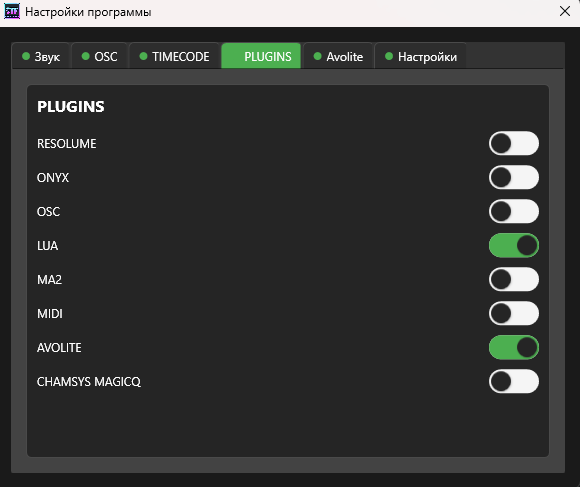
  • Plugins Menu Open the player settings and navigate to the Plugins section.
  • Avolites Locate the Avolites plugin and switch it on.
Plugins Menu
Activating the Avolite module
Step 03

Connection Settings

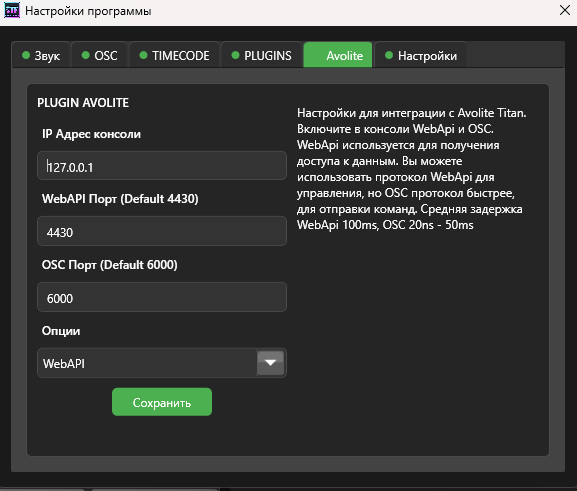
After enabling the plugin, an Avolite tab will appear. Enter the connection details.

  • Web Port: Enter the Web API port you verified on the console (Standard is 4430).
  • Protocol: Select WEBAPI mode.
  • IP Address: Enter the console IP (or 127.0.0.1 for local connection).
OSC ports (8000/9000) are usually detected automatically, but ensure they are not blocked by firewalls or other software.
Avolite Configuration
Configuring Web API port and mode
Step 04

Status Check

If all IPs and ports are correct, the software will establish a connection with Titan.

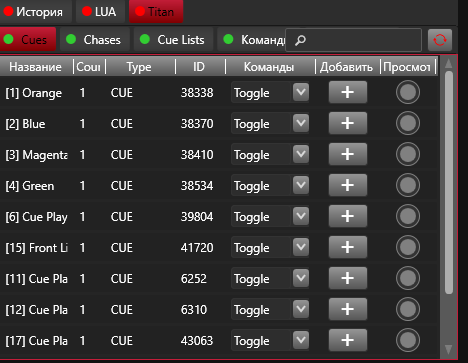
  • Indicators In the Titan tab, you should see green indicators (tabs). This confirms a successful connection.
Green Tabs Status
Green indicates an active connection
Step 05

Content Synchronization

Once connected, ShowTime Player will automatically load data from the console.

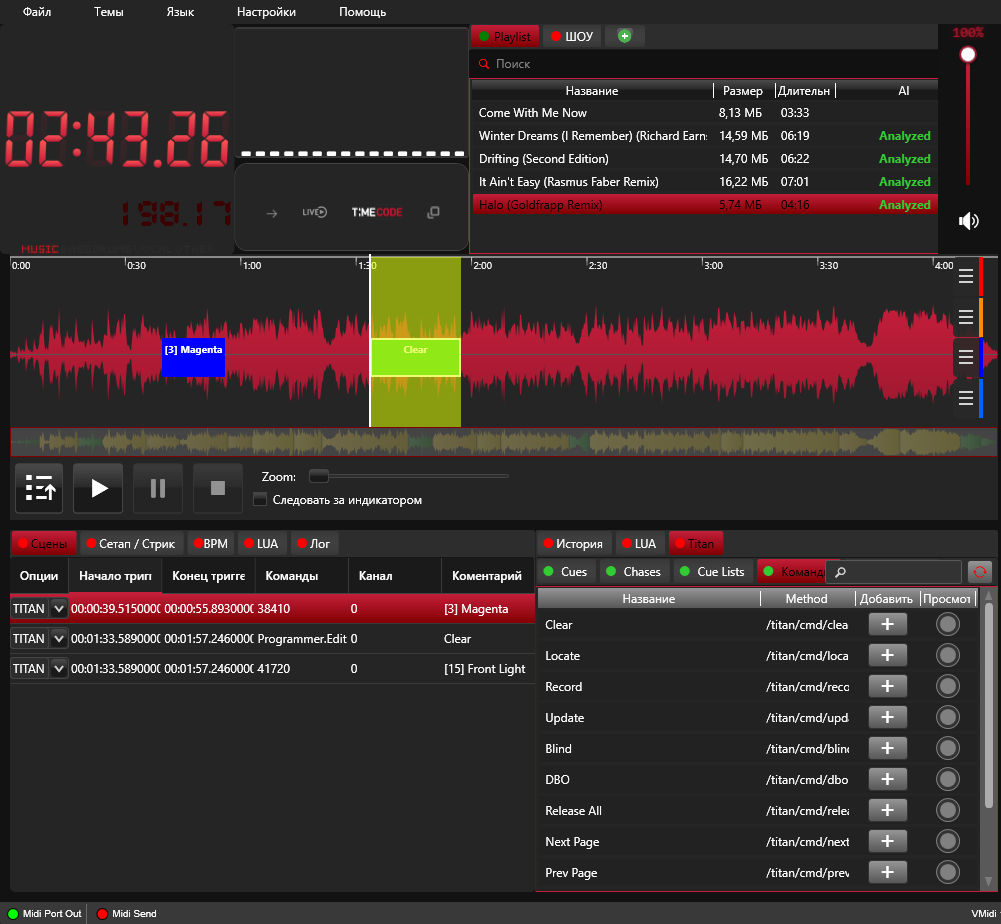
  • Available Elements Programs, Cues, and Chases will appear in the tabs.
  • Timeline Workflow You can now drag and drop these elements onto the timeline to create your show.
Done! Avolites Titan integration is complete.
Content Loaded
Loaded cues and chases from the console