Introduction
AI-powered fixture profile generator for all lighting consoles
AI Fixture Creator is an intelligent tool that forever eliminates the routine of manual lighting fixture profile creation.
Simply upload the manufacturer's PDF manual, or multiple photos/screenshots of the manual pages (up to 11 pieces), and our neural network will automatically analyze the DMX chart, physical parameters, and fixture features, generating ready-to-use files for the world's leading lighting control systems.
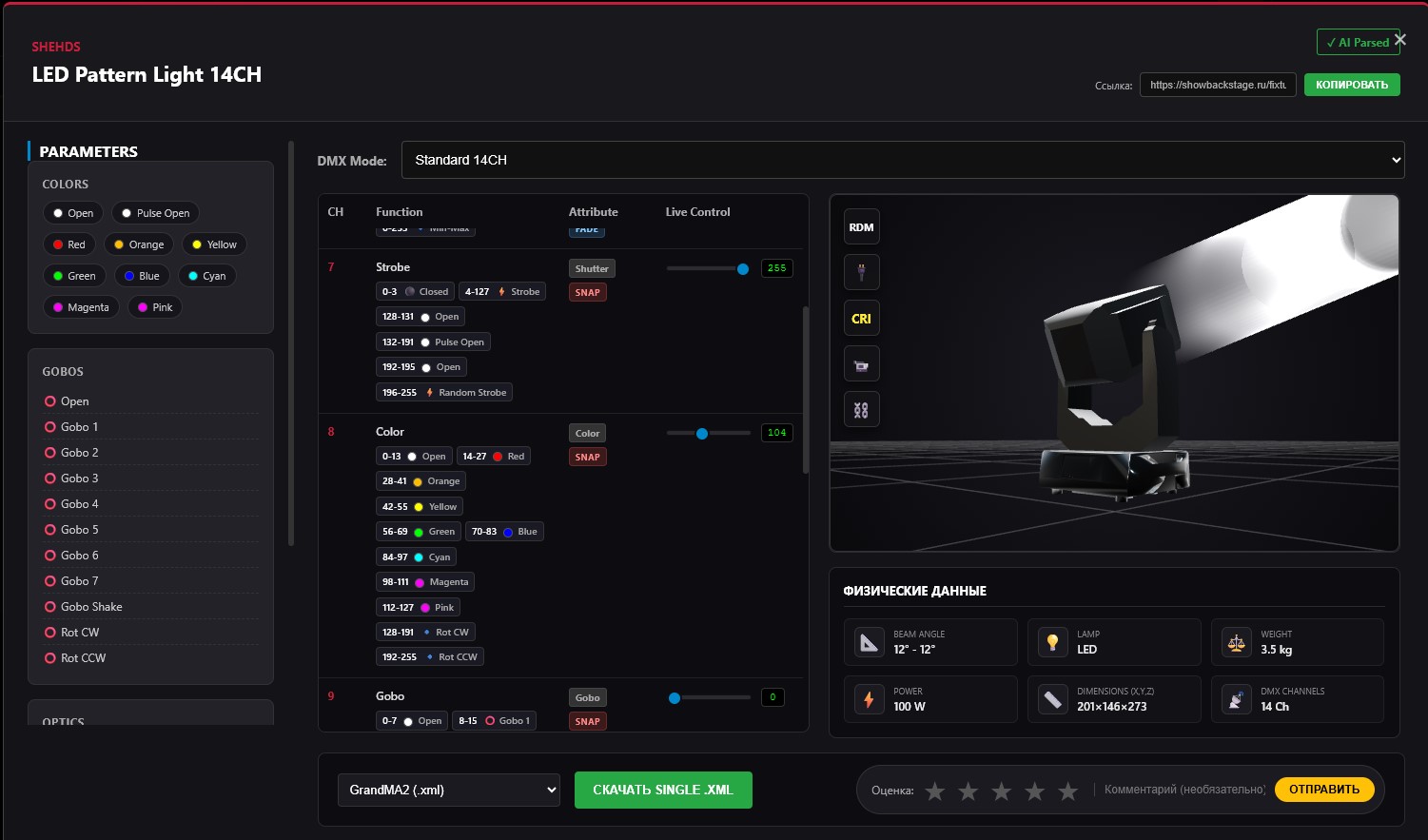
Supported Consoles and Formats
Our generator creates libraries for the vast majority of popular software and hardware consoles. We divide generation into two main branches: proprietary formats and universal GDTF.
🔒 Proprietary Formats
*A proprietary file is a unique, closed data format created by the developer specifically for their console. It fully incorporates the internal logic of the desk, its built-in 3D visualizer, and effects engine.
- GrandMA2:
.xml - Avolites Titan:
.d4 - Onyx Obsidian:
.fixture(Onyx format) - Tekmand:
.xmlp - QLC+:
.qxf - Sunlite PC Suite:
.ssl2
(Also compatible with Daslight, Lumidesk, Light Rider, MyDMX)
🌐 Universal GDTF
*GDTF (General Device Type Format) is an open global standard for describing fixtures. It was created so that lighting manufacturers could release a single universal file that is equally and correctly understood by consoles, CAD software, and 3D visualizers.
The .gdtf format is natively supported by:
- GrandMA3
- Chamsys MagicQ
- ETC EOS
- Vectorworks / Depence / Capture (for show pre-visualization)
🧠 What does the AI consider when analyzing a manual?
Unlike simple text parsers, our neural network analyzes the document like a real lighting engineer. It extracts not just channel numbers, but builds a complex physical and optical model of the fixture.
Movement and Optics
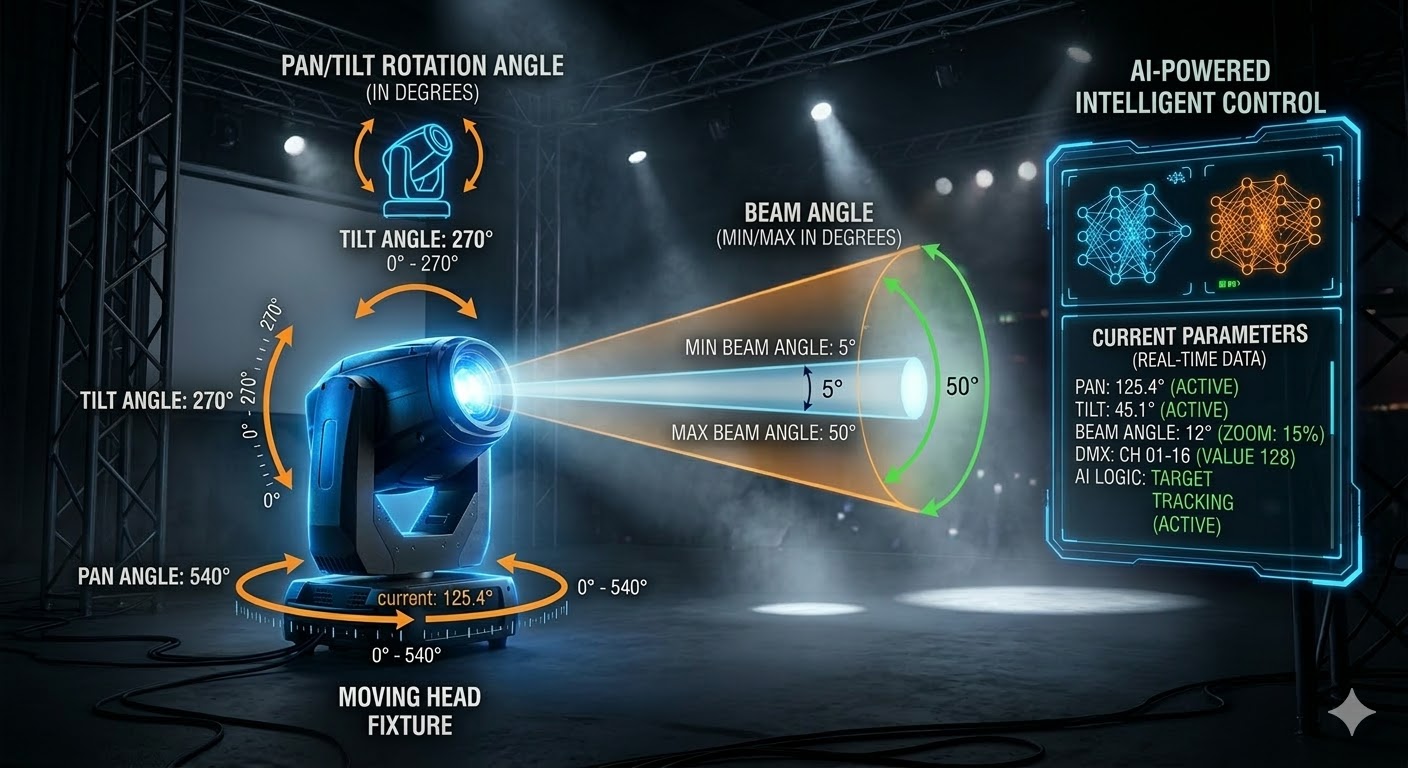
- Pan / Tilt: Tilt and pan angles of the head, as well as maximum physical limits (e.g., 540° and 270°).
- Zoom: Minimum and maximum beam angle. Affects the width of the light spot in 3D.
- Focus: The channel responsible for the sharpness of the beam edges or projected gobo patterns.
Beam Effects
- Prism: The AI detects the presence of a prism and its facet count (3-facet, 8-facet, linear).
- Prism Rotation: Speed and direction of prism rotation, as well as exact indexing capabilities (stopping at a specific angle).
- Gobo: Recognition of static and rotating gobo wheels.
Color and Power
- Color Rendering: Precise data extraction for Color Wheels or CMY/RGBW mixing systems.
- Control: Finding service DMX values for remote Lamp On/Off and motor Reset.
- Physics: Weight, RDM support, connectors (PowerCON, DMX), and Daisy Chain limits.
Channel Logic: Snap and Fade
The neural network automatically assigns the correct behavior type to each parameter. This is critical for the console's effects (Phasers / FX Engine) to work properly:
- Snap (Instant): The transition between values happens instantly, ignoring Fade Time. Used for color and gobo wheels so the audience doesn't see intermediate colors scrolling during scene changes.
- Fade (Smooth): Smooth transition from one value to another. Used for Dimmer (intensity), Pan/Tilt movements, and CMY color mixing.
Values: Default and Highlight
Our generated fixtures already contain built-in basic behavior algorithms for comfortable and fast operator workflow:
- Default: The baseline state of the fixture (when Clear is pressed). The AI sets logical values: beam centered (Pan/Tilt 50%), dimmer closed (0%), shutter open, color and gobo in open position.
- Highlight: When the Highlight button is pressed on the console, the fixture temporarily ignores the current scene, resets color to white, removes gobos, and opens the dimmer to 100%. This allows you to instantly locate the fixture on stage.
Automatic Preset Generation
In addition to standard channels, we automatically generate and embed ready-made Presets directly into the fixture library, even if they were not explicitly stated in the manual. This heavily speeds up show programming:
- Pan / Tilt: The AI calculates the center position and creates ready-to-use Center, Max, and Min presets.
- Zoom: Automatically adds Narrow, Normal, and Wide presets.
- Focus: Generates Far, Normal, and Near values.
Smart Attribute Copying
Manufacturers often detail channels (colors, gobos, etc.) only in the largest DMX mode (e.g., Mode 1), leaving other modes as empty tables.
Our neural network can map data! If a color wheel is detailed in Mode 1, but Mode 2 just says 'Color', the algorithm automatically copies all attributes (color names, DMX values) from the first mode to the corresponding channels in other modes. Your fixture will have fully working effects in every DMX mode!
🎮 Full Compatibility with 3D Visualizers
Our profiles are generated fully considering the requirements of virtual show programming. Absolutely all physical parameters—housing dimensions, maximum rotation angles, and optical characteristics (min/max beam zoom, realistic color rendering)—are automatically translated into the fixture's geometry.
This ensures that the generated fixtures will work and look correct in MA3D (visualizer for GrandMA2) and the built-in GrandMA3 visualizer. You will get a physically accurate and beautiful picture, allowing you to blind-program lighting long before arriving at the venue.
⚠️ Important Note on Beam and Rotation Angles
Beam Angles and maximum rotation limits (Pan/Tilt) are the foundation for a correct 3D picture. Often, manuals for budget Chinese fixtures lack this data. In such cases, the neural network automatically applies industry standards for Moving Heads: 540° for the Pan axis and 270° for the Tilt axis.
Need help with an unknown fixture?
If the generator encounters an overly complex, non-standard, or poorly scanned manual, send it to us!
Message our Telegram Community